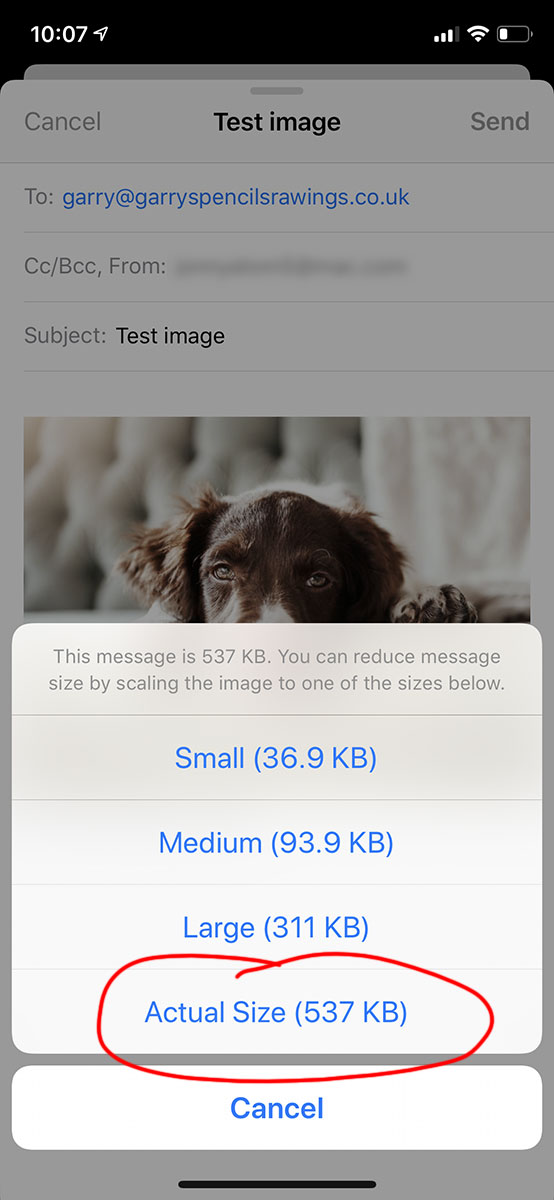
If you’ve taken a photograph of your pet to send to me for consideration to draw, on your iphone, here’s a handy guide to send me the largest file, at the best resolution.
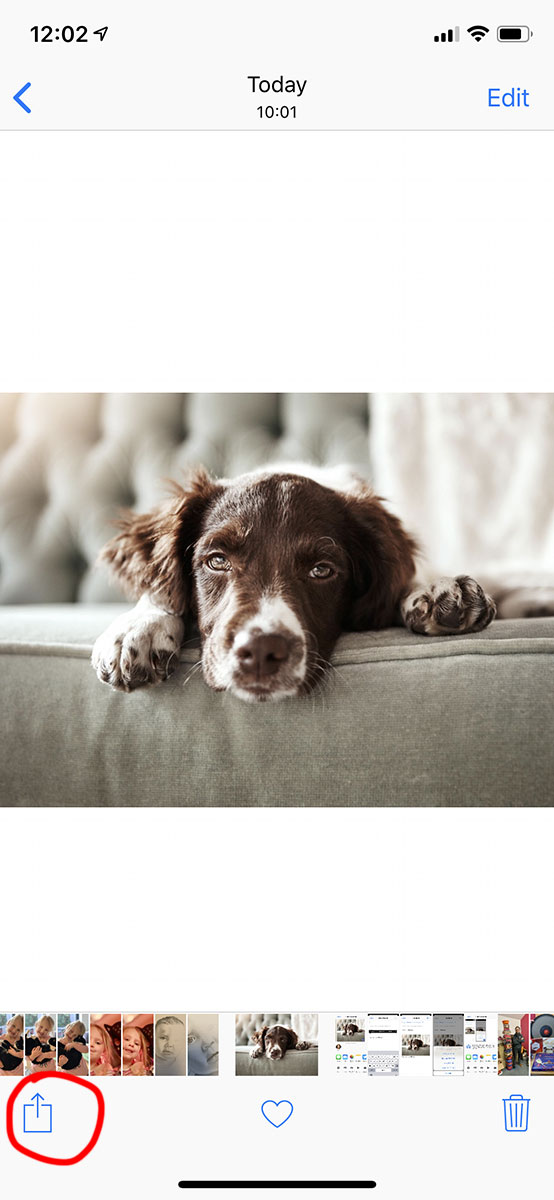
First open Photos and select the image you wish to send. When the larger image pops up select the share icon at the bottom left of the screen
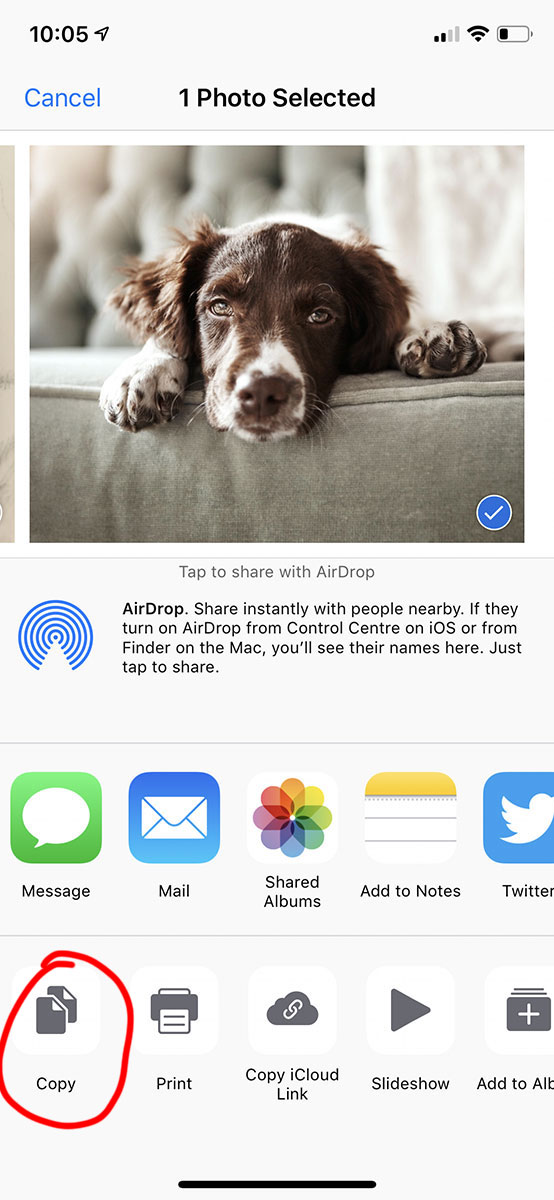
Second click on the copy icon, again in the bottom left.
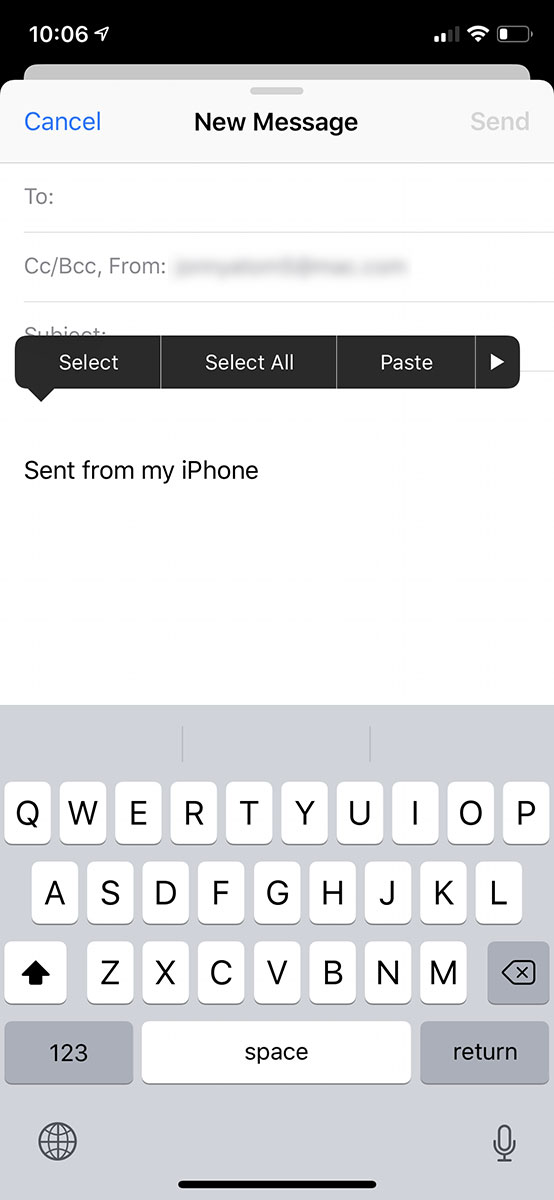
Third, open your Mail app and start a new email. Press in the body of the email and hold, release after a short while and the paste box should appear. Now paste the image.